How to book your roomCómo reservar tu habitación
Follow these steps to book your room at Velas Vallarta at the wedding rate. The pictures show the hotel’s booking pages. The dates in the pictures are examples, so yours will be different.Sigue estos pasos para reservar tu habitación en Velas Vallarta con la tarifa de la boda. Las imágenes muestran las páginas de reservación del hotel. Las fechas de las imágenes son solo un ejemplo; las tuyas serán diferentes.
Before you startAntes de empezar
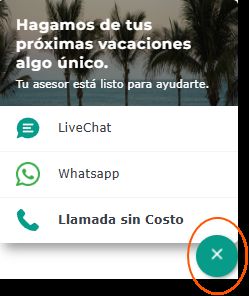
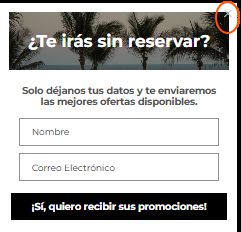
Pop-up windows may appear. You can close them and carry on with your booking.Pueden aparecer ventanas emergentes. Puedes cerrarlas y seguir con tu reservación.
1. Open your booking link1. Abre tu enlace de reservación
Click the booking link on this page, “Book your room”.Da clic en el enlace de esta página, “Reservar habitación”.
2. Check the wedding name, then continue2. Revisa el nombre de la boda y continúa
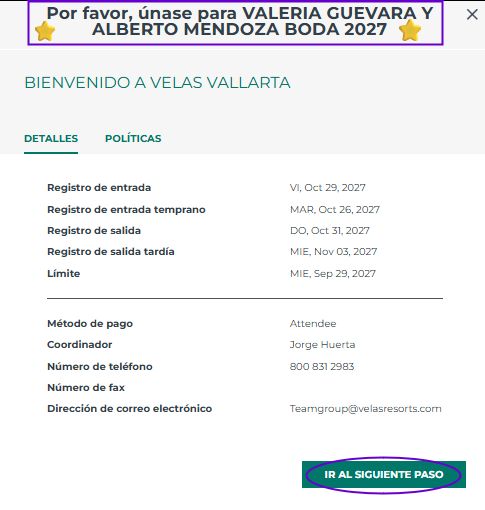
- Make sure “Valeria Guevara & Alberto Mendoza Boda 2027” is on the page.Asegúrate de que aparezca “Valeria Guevara y Alberto Mendoza Boda 2027”.
- Click “Go to the next step” (Ir al siguiente paso).Da clic en “Ir al siguiente paso”.
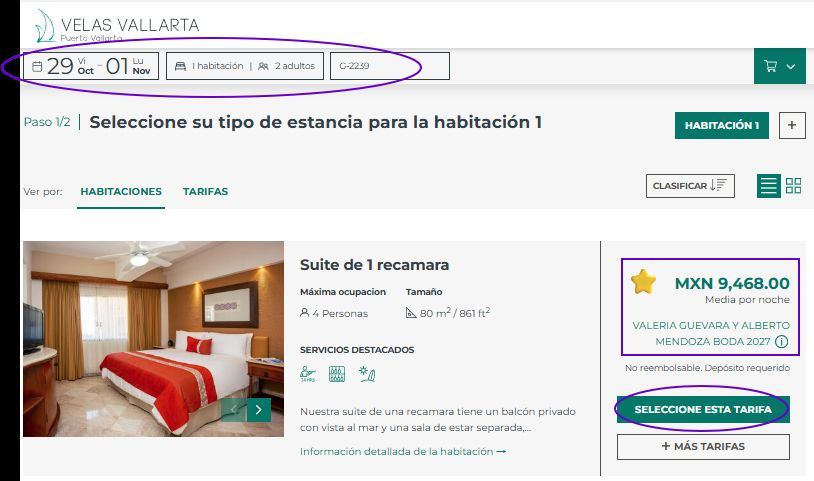
3. Choose your dates3. Elige tus fechas
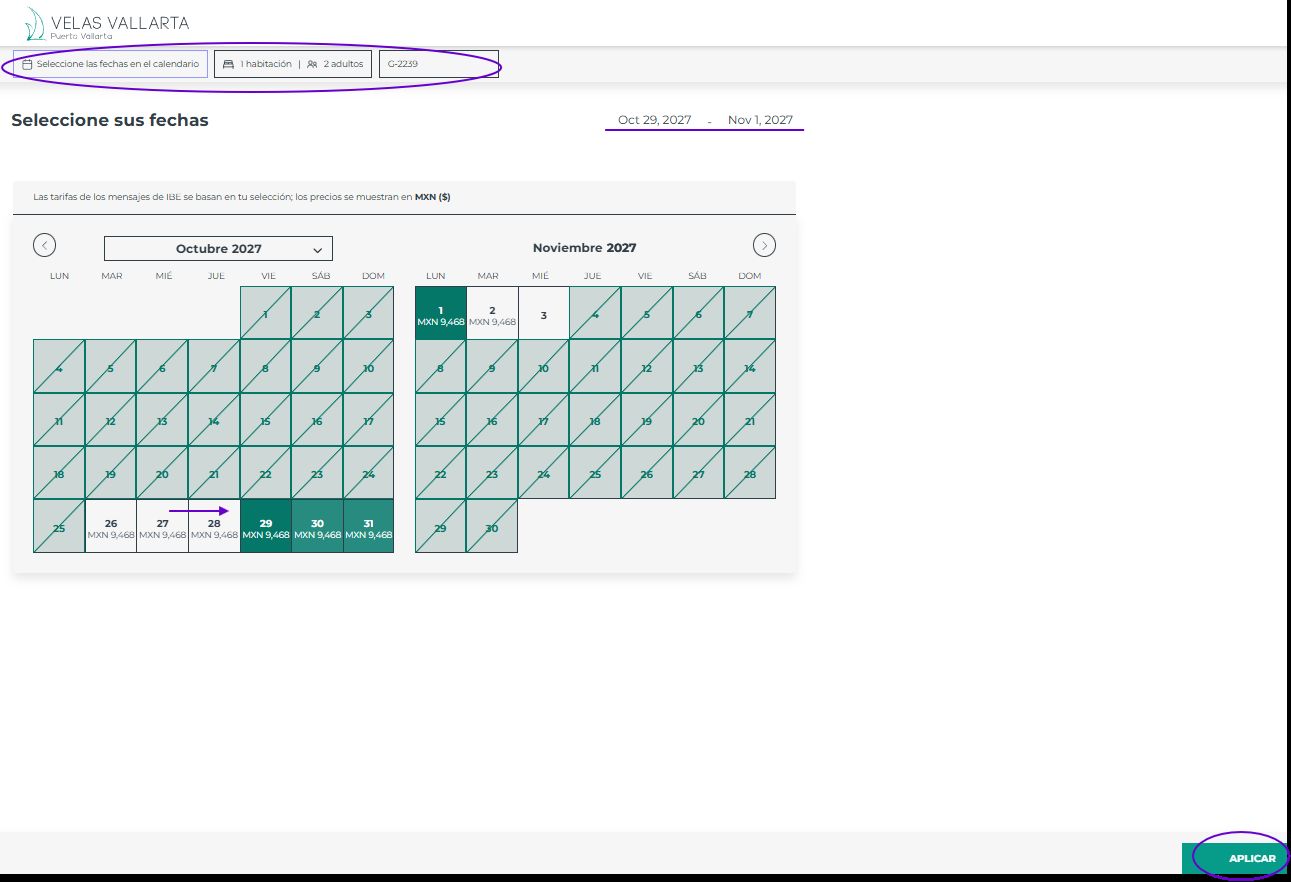
- Select your travel dates on the calendar.Selecciona tus fechas de viaje en el calendario.
- Check the number of rooms and guests.Confirma el número de habitaciones y huéspedes.
- Your group confirmation number is G-2239.Tu número de confirmación de grupo es G-2239.
- Click “Apply” (Aplicar).Da clic en “Aplicar”.
4. Choose your room4. Elige tu habitación
- Make sure the wedding name appears next to the room.Asegúrate de que aparezca el nombre de la boda junto a la habitación.
- Click “Select this rate” (Seleccione esta tarifa).Da clic en “Seleccione esta tarifa”.
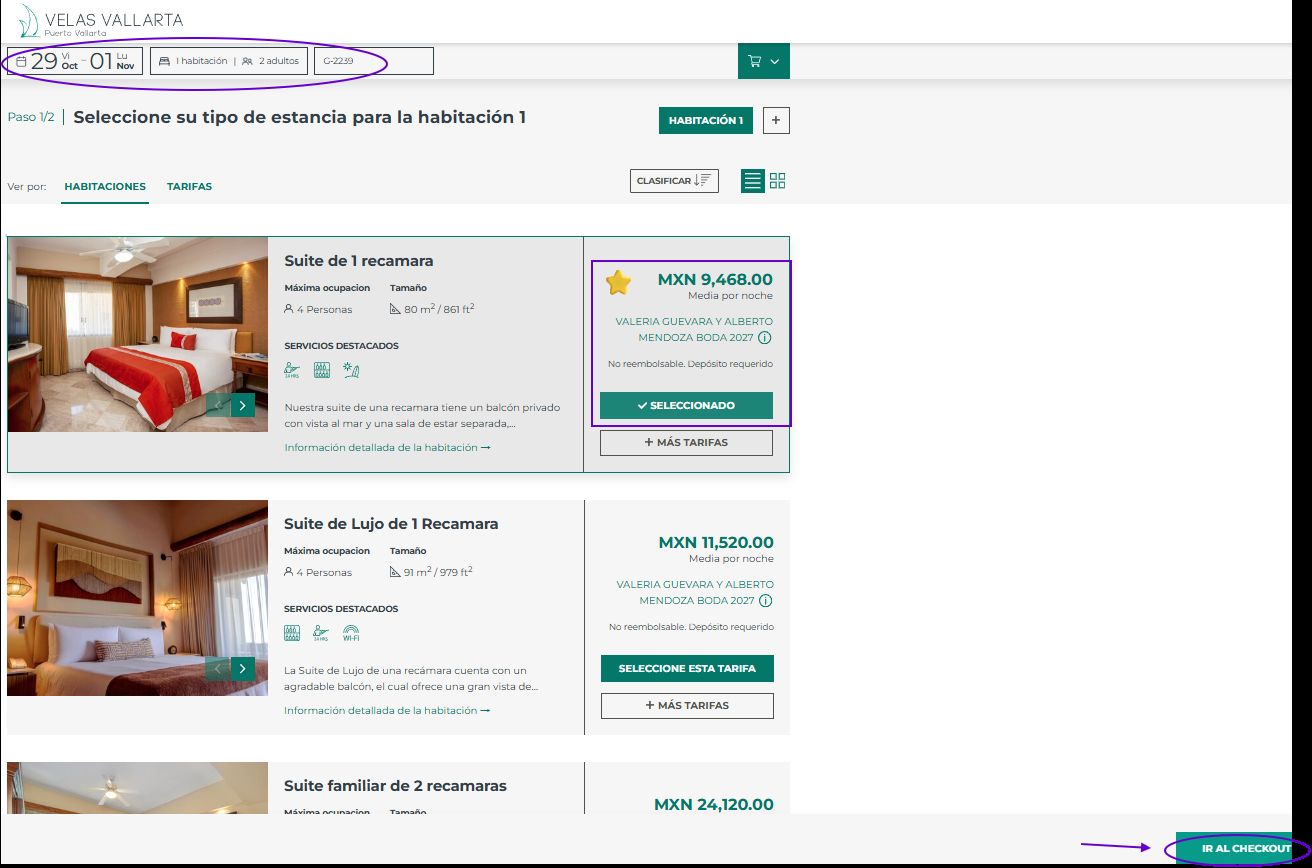
5. Check your room and go to checkout5. Revisa tu habitación y ve al checkout
- Check the room type and your dates.Confirma el tipo de habitación y tus fechas.
- Make sure the wedding name appears.Asegúrate de que aparezca el nombre de la boda.
- Click “Go to checkout” (Ir al checkout).Selecciona “Ir al checkout”.
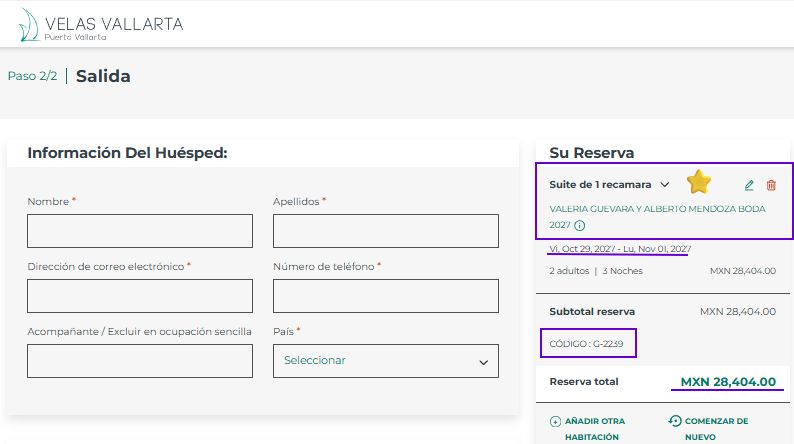
6. Enter your guest details6. Ingresa los datos del huésped
- Fill in your name, last names, email, phone and country.Llena tu nombre, apellidos, correo, teléfono y país.
- Check that the wedding name and your dates show.Verifica que aparezcan el nombre de la boda y tus fechas.
- Your confirmation number should start with the letter G.Tu número de confirmación debe empezar con la letra G.
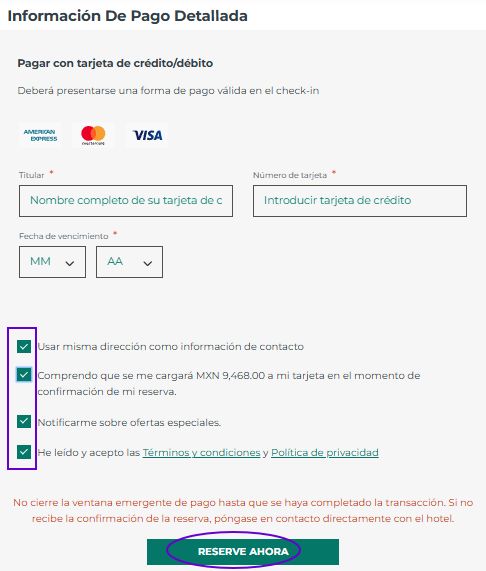
7. Pay and reserve7. Paga y reserva
- Enter the details of your credit or debit card.Ingresa los datos de tu tarjeta de crédito o débito.
- Click the boxes that apply to you.Selecciona las casillas que apliquen.
- Click “Reserve now” (Reservar ahora).Da clic en “Reservar ahora”.
The first night is charged when you reserve. Do not close the payment window until you see your confirmation. If you do not get a confirmation, contact the hotel directly.La primera noche se cobra al reservar. No cierres la ventana de pago hasta ver tu confirmación. Si no recibes una confirmación, comunícate directamente con el hotel.
8. You are done!8. ¡Listo!
Your reservation is complete. See you at the wedding!Tu reservación está completada. ¡Nos vemos en la boda!
The hotel's own guideLa guía del hotel
You can also open the hotel's PDF guide. It has the same steps and the booking link.También puedes abrir la guía en PDF del hotel. Tiene los mismos pasos y el enlace de reservación.